
Table of Contents
- CCTV Monitored Storage Cost Australia: What You’re Actually Paying For
- Upfront vs Recurring Costs of a CCTV System
- Cloud vs Local Storage: Which Cheaper Over Time?
- Key Secure Storage Facility Features That Justify the Cost
- How to Choose a Secure Storage Unit With Real Monitoring
- Factors Affecting Self-Storage Rental Prices and Monitoring Fees
- Total Cost of Ownership: Hidden Costs Beyond the Monthly Fee
- Conclusion: Getting the Right CCTV Monitored Storage for Your Budget
- Frequently Asked Questions
Last Updated: October 2, 2026
CCTV Monitored Storage Cost Australia: What You’re Actually Paying For
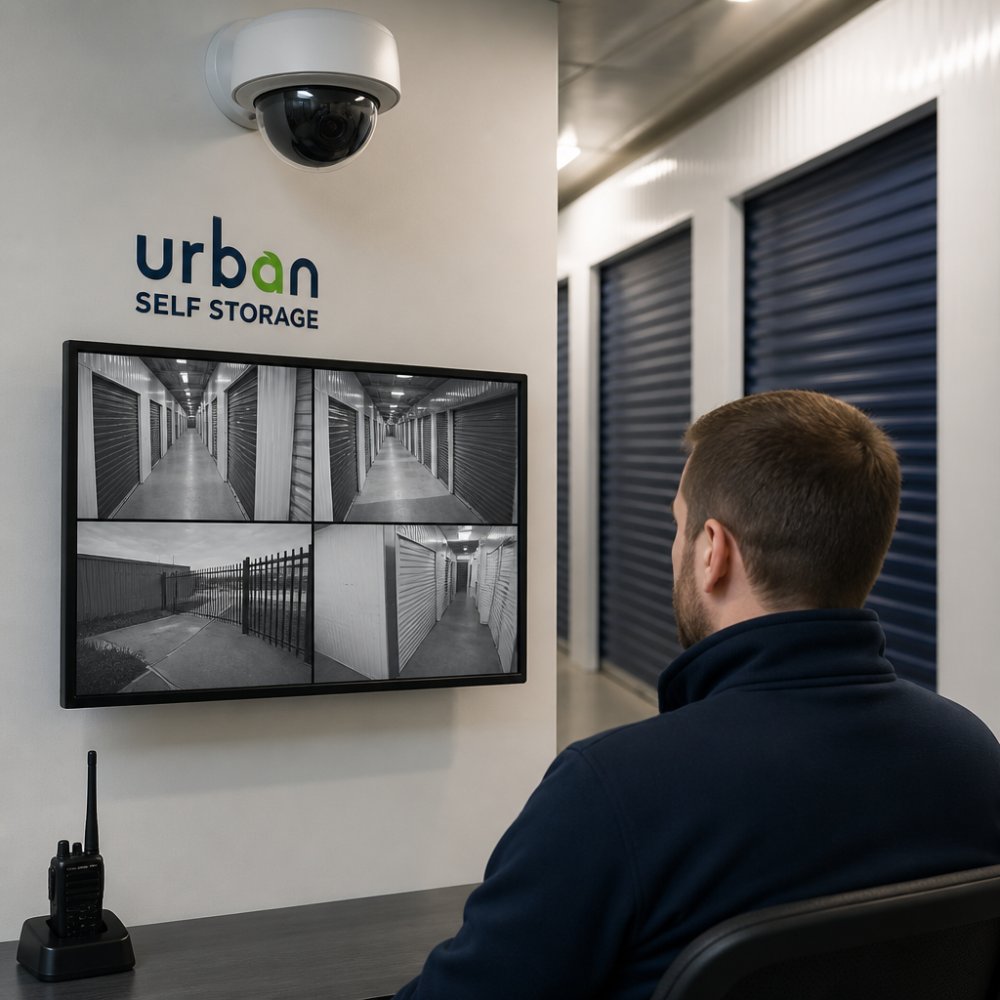
Understanding the cost of CCTV monitored storage in Australia means looking past the monthly rental figure on a quote, pricing the cameras, recorder, data, monitoring, and years of upkeep behind that number.
This guide from Urban Self Storage breaks down what drives those costs, where hidden expenses hide, and how to compare a monitored facility against a basic lock-and-key unit. Urban Self Storage operates secure, monitored facilities in East Bunbury and Picton, so we’ve seen how these costs play out in practice.
Here’s the uncomfortable truth most price lists avoid: the unit itself is often the cheapest part. Monitoring, storage duration, and access requirements do the heavy lifting on your final bill.
Below, we cover upfront versus recurring costs, cloud versus local recording, features worth paying for, and a total cost of ownership framework for any quote.
Upfront vs Recurring Costs of a CCTV System
Storage pricing splits into two distinct buckets: what you pay once to get set up, and what you keep paying for as long as you store.
One-Off Hardware and Installation
If you’re installing your own surveillance setup, upfront costs include cameras, an NVR or DVR recorder, cabling, a hard drive, and mounting hardware, plus labour for professional installation. At a self-storage facility these costs are baked into the rental rate, which is why a monitored unit typically commands more than an unmonitored one.
Ongoing Fees That Catch People Out
Recurring costs are where budgets quietly blow out. Watch for:
- Subscription plans for cloud video retention
- Security monitoring fees if a third party watches the feed
- Increased storage duration costs as your stay extends
- Access surcharges for out-of-hours entry
- Maintenance and hardware depreciation over time
The most common mistake is signing a contract without confirming whether monitoring is included in the rate or billed separately. A facility advertising “24/7 surveillance” may mean cameras are recording, not that anyone is actively watching. Always ask what “monitored” actually covers.
Cloud vs Local Storage: Which Cheaper Over Time?
Cloud storage wins on convenience and off-site backup; local storage wins on long-run cost. That trade-off hides the mechanisms that decide which is cheaper for your situation.
How each option actually works
Cloud recording pushes footage to remote vendor servers. The camera or recorder uploads continuously, and the vendor holds footage for an agreed retention window, commonly 7, 14, 30, or 90 days, accessed via app or web portal.
Local storage records to an on-site NVR (network video recorder) or DVR with its own hard drive. Nothing leaves the building unless you configure remote access.
The cost drivers that decide it
Four variables do most of the work:
- Retention period. Cloud pricing scales with how long footage is kept and how many cameras feed it; doubling retention roughly doubles the storage component. Local storage absorbs longer retention by adding drive capacity, a one-off cost, not recurring.
- Camera count and resolution. Higher-resolution streams (4K versus 1080p) generate substantially more data, pushing cloud plans into a higher tier and filling local drives faster.
- Bandwidth and data. Cloud recording consumes upload bandwidth continuously, a real, often overlooked cost on a metered or modest NBN plan.
- Failure and recovery. Local drives fail and are typically replaced every few years. Cloud shifts that risk to the vendor but ties access to their service continuity and your subscription.
| Factor | Cloud Storage | Local Storage |
|---|---|---|
| Upfront cost | Lower hardware outlay | Higher (NVR, drives, installation) |
| Recurring fees | Subscription per camera or per plan | Minimal, power and occasional drive replacement |
| Off-site backup | Built in | Requires manual setup or a second location |
| Bandwidth demand | High and continuous | Low, stays on the local network |
| Retention flexibility | Tiered; longer costs more | Limited only by drive capacity |
| Access if internet drops | Unavailable remotely | Still recording locally |
| Best for | Remote access, small setups, short retention | Long-term, high-volume recording, fixed premises |
The Australian compliance angle most guides skip
If your cameras capture identifiable individuals, staff, customers, visitors, or passers-by, the footage is personal information under the Privacy Act 1988 (Cth) and the Australian Privacy Principles, with practical storage consequences:
- Footage should be kept only as long as it is needed for the purpose it was collected. A 90-day cloud retention default may exceed what you can justify.
- Cloud vendors may store data offshore. Cross-border disclosure obligations apply, and you need to know where the footage physically sits.
- Access controls, encryption, and audit trails are not optional extras, they are part of meeting your security obligations.
The OAIC guidance on surveillance and privacy sets out what businesses need to consider, and the Australian Cyber Security Centre’s guidance on securing connected devices covers the device-hardening side.
Book Online in 3 Minutes & Get 50% Off Instantly →
Which is cheaper over time?
For a business storing excess inventory for years at a fixed site, local recording usually costs less overall once subscriptions are stacked against a one-off NVR and drive purchase. For a short-term storer wanting remote phone access without cabling, cloud is simpler and easier to walk away from.
The crossover point depends on camera count, resolution, and retention. Ask any vendor for the three-year figure, not the monthly one, that’s where the two options separate.
Key Secure Storage Facility Features That Justify the Cost
A monitored facility earns its premium through features you can verify, not marketing language.
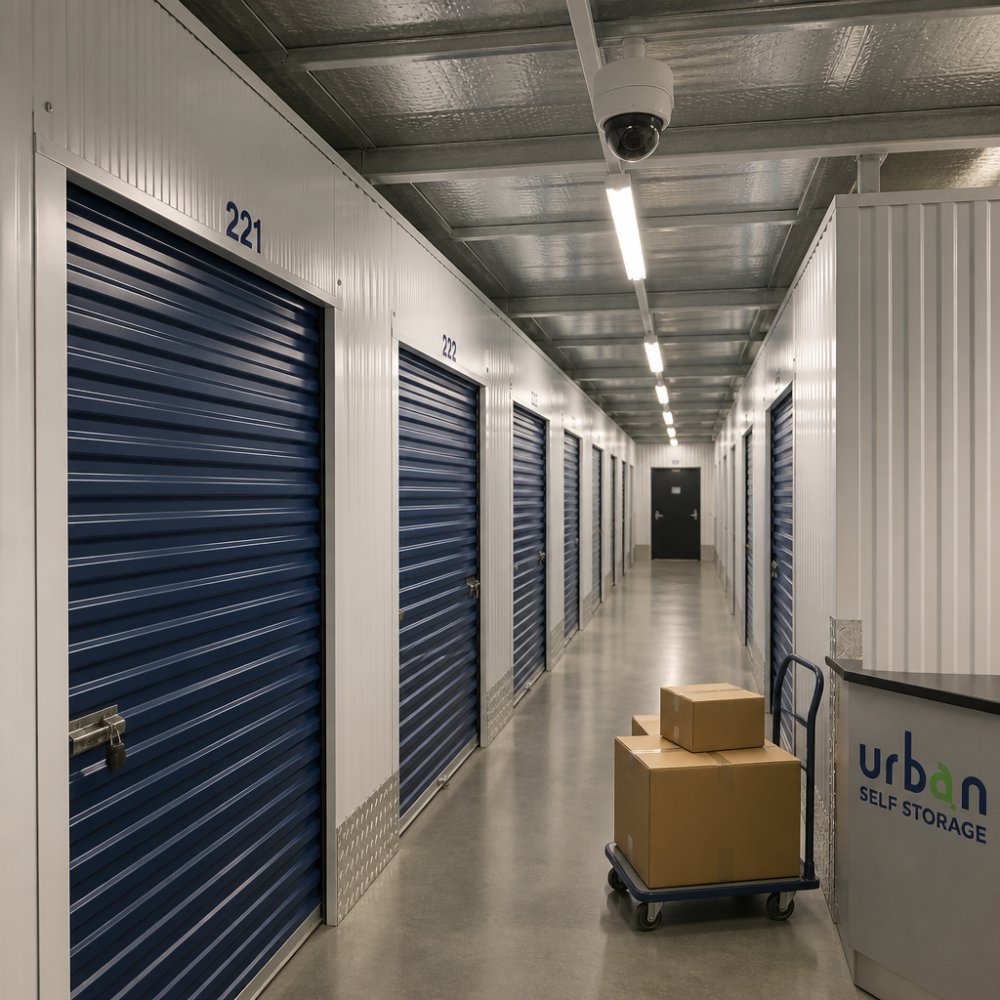
Secure storage facility features worth paying for include advanced 24/7 CCTV surveillance, well-lit access corridors, controlled entry, and clean, modern premises.
At Urban Self Storage, our facilities are modern, clean, and secure, with advanced 24/7 CCTV surveillance across both locations, the standard any storer should demand before paying a monitoring premium.
What most guides miss is that cleanliness and lighting matter as much as cameras. A camera doesn’t stop dust from ruining a sofa.
How to Choose a Secure Storage Unit With Real Monitoring
Choosing a secure storage unit comes down to verifying three things: that the cameras work, that access matches your schedule, and that the price is transparent.
Ask these questions before you commit:
- Can I see the facility in person before signing?
- What are the access hours, and do they suit a tradesperson’s week?
- Is monitoring included in the rate or billed separately?
- What size unit do I actually need for my caravan, boat, or stock?
- Are there any renewal or access surcharges?
A common mistake is guessing unit size and paying for space you don’t use. Measure your vehicle or inventory first, then match it to a real unit.
Ask to visit at the time of day you’ll actually access your unit. A facility that feels secure at 10am can feel very different at 7pm. If access hours are restricted, confirm that before you sign, not after.
Urban Self Storage offers a move-in process under 10 minutes, with flexible short and long-term options, so you’re not locked into a contract that outlasts your renovation or relocation.
Factors Affecting Self-Storage Rental Prices and Monitoring Fees
Factors affecting self-storage rental prices include unit size, location, access frequency, storage duration, and whether monitoring is bundled or charged separately.
Larger units cost more, but the per-square-metre rate often drops as size increases. Location matters because land and security infrastructure cost more in some areas.
Monitoring fees vary by camera coverage, retention period, and whether a human is watching or a system is simply recording. Retention length is a genuine cost driver: 90 days of footage costs more in storage and bandwidth than 14.
Book Online in 3 Minutes & Get 50% Off Instantly →
The single biggest lever on your total cost is storage duration. A facility that offers flexible short and long-term options lets you avoid paying for months you don’t need.
Total Cost of Ownership: Hidden Costs Beyond the Monthly Fee
Total cost of ownership is the full lifetime cost of storing your goods, rental rate, monitoring, data, insurance, and maintenance. The monthly fee is only one line in that ledger, and rarely the largest.
A three-year and five-year view
Most quotes show a monthly rate; few show what you’ll have spent by year three or five. The table below is a framework, not a price list, plug in your own figures and the pattern becomes obvious.
| Cost line | Year 1 | Year 3 | Year 5 |
|---|---|---|---|
| Storage rental | 12 × monthly rate | 36 × monthly rate (plus any increases) | 60 × monthly rate (plus any increases) |
| Monitoring / subscription | 12 × monthly fee | 36 × monthly fee | 60 × monthly fee |
| Setup / bond / admin | One-off | , | , |
| Insurance | Annual premium | 3 × premium | 5 × premium |
| Hardware replacement | Unlikely | Possible drive or camera failure | Likely at least one replacement cycle |
| Data / bandwidth | Ongoing if cloud | Ongoing if cloud | Ongoing if cloud |
Two patterns stand out. Recurring fees dominate the long-run total, a modest monthly subscription compounds into a significant sum over five years. And one-off costs are the smallest part, which is why choosing on upfront price alone is a mistake.
The hidden costs, explained
- Bandwidth and data. Cloud recording uploads continuously. On a metered connection or modest NBN plan, high-resolution streams can push you into a higher tier or trigger excess-usage charges, a genuine hidden cost most guides ignore.
- Cybersecurity risk. Cloud footage is only as safe as the credentials protecting it. Weak passwords, unpatched firmware, and shared logins are common failure points; encryption in transit and at rest, multi-factor authentication, and role-based access are the controls that matter.
- Insurance. Many policies require a monitored facility, and some charge a higher premium without one. Confirm with your insurer before you sign, the difference can outweigh a cheaper rental rate.
- Maintenance. Hard drives fail, cameras degrade, connectors corrode. On a local setup, you pay for replacement.
- Hardware depreciation. Recording equipment loses value and eventually needs replacing. Budget for a replacement cycle rather than treating the initial purchase as permanent.
- Contract and access terms. Notice periods, renewal surcharges, and out-of-hours access fees are easy to miss and hard to reverse once signed.
Privacy and compliance as a cost line
If your cameras capture identifiable people, the Privacy Act 1988 (Cth) and the Australian Privacy Principles apply. Compliance isn’t free: it may require shorter retention windows, access controls, staff training, and a privacy policy, a real operational cost no competing guide accounts for.
The OAIC guidance on surveillance and privacy explains the obligations, and the Australian Cyber Security Centre’s guidance on securing connected devices covers the technical controls.
Build your own three-year and five-year totals before you compare quotes. The cheapest monthly rate is frequently the most expensive arrangement once retention, data, insurance, and replacement cycles are added in.
Conclusion: Getting the Right CCTV Monitored Storage for Your Budget
The challenge with CCTV monitored storage is that the cheapest headline rate rarely reflects the true cost once monitoring, data, and duration are added in. Price the whole picture, not the monthly figure.
At Urban Self Storage, we keep it simple: advanced 24/7 CCTV surveillance, flexible short and long-term options, a move-in process under 10 minutes, and competitive pricing with discount offers across our East Bunbury and Picton facilities. Whether you’re storing furniture during a renovation, a caravan long-term, or business stock, you get secure, clean, accessible space without surprise fees.
Get started with Urban Self Storage and store your belongings with confidence.
Frequently Asked Questions
How much data can CCTV store?
It depends on resolution, frame rate and how many cameras you run. A 4K camera recording continuously can fill several terabytes in a month, while a 2K camera on motion-only recording uses far less. Most systems keep 30 to 90 days of footage before overwriting. Cloud plans usually cap storage by days of retention rather than raw gigabytes, so check what your plan includes before you commit.
Does CCTV monitored storage provide better protection than standard units?
Monitored storage adds active oversight on top of basic recording. Cameras alone capture footage after an incident; a monitored setup with real-time alerts and someone watching can prompt a response while it is happening. For high-value items like tools, business stock or vehicles, that difference matters. Ask any facility how footage is reviewed, how long it is kept, and who responds to alerts.
Are there additional fees for 24/7 remote monitoring in storage facilities?
Sometimes. Some facilities bundle monitoring into the unit rent, while others charge it as a separate line item or offer it only on premium units. Cloud subscription plans for camera footage are a common add-on, and off-site backup usually costs more than on-site recording. Ask for a full breakdown of recurring fees before signing, not just the headline rent.
What factors influence the monthly cost of secure storage?
Unit size, location, whether the space is indoor or outdoor, and the level of security all affect the monthly rate. Longer commitments often attract discounts, while short-term rentals can cost more per week. Access hours, climate control and monitored surveillance also shift the price. It pays to compare what is included rather than the sticker price alone.