

Last Updated: October 28, 2026
Quick Summary
Upgrading existing storage unit security starts with a facility security audit checklist that records weak gates, worn locks, camera blind spots and shared access codes before any money is spent. Fix broken gates and locks first, then close camera blind spots, issue unique renter codes and improve entry point lighting, since these low-cost fixes deliver the biggest risk reduction.
- Facility operators handle fencing, lighting, CCTV, access hardware and supplied locks; renters handle their own padlocks, codes and insurance.
- Photograph the recorder label, cable ends and power supply so suppliers can confirm camera compatibility before you buy.
- Give each renter a unique access code, revoke codes the day a rental ends and review master key holders monthly.
- Test camera playback and confirm footage actually saved, because a camera can show a live image while failing to record.
- Replace a lock or latch after two faults in a month and replace failed lights immediately rather than at the next scheduled check.
Table of Contents
- Why Upgrading Existing Storage Unit Security Matters
- Start With a Storage Facility Security Audit Checklist
- Upgrading CCTV Camera Systems Without Starting From Scratch
- Improving Storage Unit Access Control Systems
- Upgrading Storage Facility Security Lighting
- Prioritising Upgrades by Risk and Budget
- Testing, Monitoring and Maintaining Your Upgrades
- Book Your Secure Unit at Urban Self Storage
- Frequently Asked Questions
Why Upgrading Existing Storage Unit Security Matters
Storage unit security is the combination of physical hardware, access controls, surveillance and site management that protects stored goods from theft, damage and unauthorised entry. Upgrading existing storage unit security matters because older facilities often carry legacy locks, blind spots and access systems that were never designed for today’s risks.
A facility that looks secure on the surface can still have weak points: a tired roller door, a camera pointing the wrong way, or a shared code that half the site knows.
Here’s the part most guides miss. Security upgrades are not about buying the most expensive gear. They are about finding the gaps that actually matter and fixing them in the right order.
Renter responsibilities versus facility operator responsibilities
Security is a shared job, but the split is clear.
Facility operators handle the building and the systems:
- Perimeter fencing, gates and lighting
- CCTV coverage and footage storage
- Access control hardware and codes
- Locks on the unit itself, where the facility supplies them
- Maintenance and testing of all of the above
Renters handle their own unit and belongings:
- Using a quality padlock where they supply their own
- Keeping access codes private
- Insuring their goods
- Reporting damage or suspicious activity promptly
A common mistake is assuming the facility covers everything. It doesn’t, and neither does a renter’s padlock. Good security needs both sides doing their part.
Start With a Storage Facility Security Audit Checklist
A storage facility security audit checklist is a structured walk-through of your site that records weaknesses before you spend money on upgrades. For a broader framework to structure your checklist around, see our complete guide to security practices for self storage. The goal is evidence, not guesswork.
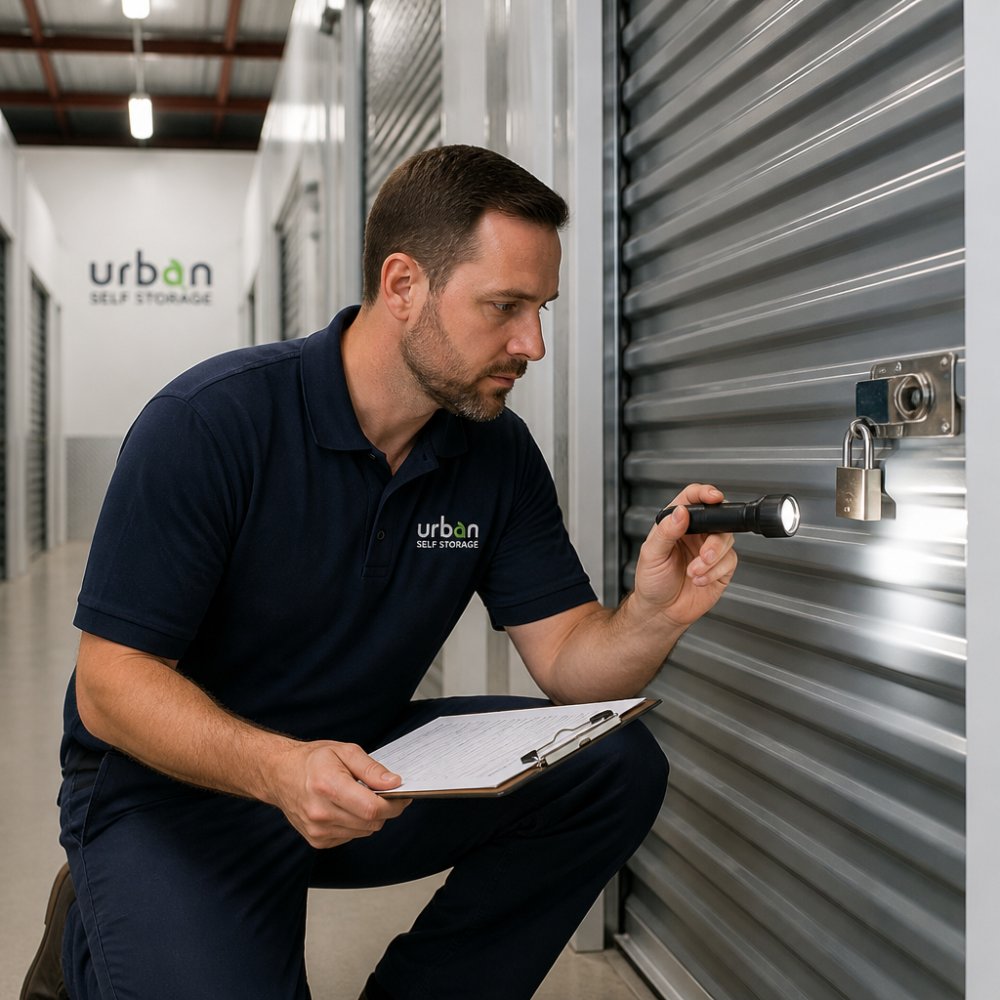
Work through it in this order:
- Walk the full perimeter and note any gaps, climbs or weak fencing
- Check every gate and entry point for latch and closing faults
- Test each door, roller door and lock by hand
- List every camera and confirm what it actually covers
- Note dark spots and blind spots after sunset
- Record who holds keys, codes and remote access
- Review the last few months of incident reports
Walk the perimeter and entry points
Start outside. Walk the fence line and look for anything a person could climb, squeeze through or hide behind.
Check that gates close fully and latch on their own. A gate that needs a shove to shut is a gate that stays open. Note where lighting fails and where cameras cannot see.
Check doors, locks and unit hardware
Then move to the units. Test each door by hand. Look for loose hinges, worn rollers and locks that stick.
Write down the condition of every lock and door. This list becomes your priority order later.
Upgrading CCTV Camera Systems Without Starting From Scratch
Upgrading CCTV camera systems does not mean ripping out what you have. Most facilities can improve coverage by repositioning existing cameras, closing blind spots and adding a few well-placed units. The trick is to assess what is already installed before you buy anything.
Assess the existing system before you buy
Work through these checks in order and write down the answers. This is the compatibility audit that prevents wasted spend.
- Recorder capacity and format. Confirm how many channels are free, the maximum resolution the recorder accepts, and whether it uses a proprietary format. A recorder that only accepts its own brand of camera will not take a mixed batch.
- Cabling type and condition. Note whether the runs are coaxial or network cable, the approximate length, and whether any cable is damaged or exposed. Older cable may not carry higher-resolution signals reliably.
- Power supply headroom. Check the rating of the power supply and how much load is already connected. Adding cameras without spare capacity means adding a power unit too.
- Storage and retention. Calculate how many days of footage the current drive holds at the resolution you want. Longer retention needs more storage, not just more cameras.
- Coverage map. Sketch the site and mark where each camera points, what it actually sees, and where the blind spots are. Overlap between cameras is useful; gaps are the priority.
Photograph the recorder label, the cable ends and the power supply before you shop. Suppliers can confirm compatibility from the photos far faster than from a description.
Reposition before you replace
A camera pointing at a wall protects nothing. Before buying new units, check whether existing cameras can be angled to cover entry points, gate approaches and the paths between unit rows. A small adjustment often closes a blind spot at no cost. Where a camera is too low or too exposed, a bracket or housing may be all that is needed.
Privacy, footage and legal obligations
Camera placement and footage handling carry obligations. Before installing or repositioning equipment, review CCTV privacy laws for self storage facilities so the upgrade stays compliant. In Australia, the Privacy Act 1988 and the Australian Privacy Principles apply to how personal information, including images of people, is collected, used, stored and disclosed. Practical steps include:
- Position cameras to cover entry points and common areas, not the interior of a renter’s unit.
- Display clear signage telling people that cameras are operating.
- Restrict footage access to named staff and keep an access log.
- Set a retention period and delete footage on schedule rather than keeping it indefinitely.
- Secure the recorder and its network connection so footage cannot be accessed remotely by unauthorised people.
If you are weighing camera options against other hardware, our comparison of storage unit security systems helps.
Book Online in 3 Minutes & Get 50% Off Instantly →
Match new cameras to the recorder
Run these checks before you commit:
- Does the new camera match your recorder’s resolution and format?
- Is the existing cabling rated for the new unit?
- Will the power supply handle the extra load?
- Can your footage storage hold the longer retention you want?
Answer all four before you buy. It saves money and rework, and it keeps the upgrade to a series of small, compatible additions rather than a full replacement.
Improving Storage Unit Access Control Systems
Storage unit access control systems decide who gets in, when, and through which entry point. Our guide to storage facility security systems breaks down what to look for so you can weigh access control options against the rest of your setup.
Key, code and renter access management
Key management is where access control lives or dies. Follow these habits:
- Give each renter a unique code, never a shared one
- Revoke codes the day a rental ends
- Review who holds master keys every month
- Log every remote access change
Upgrading Storage Facility Security Lighting
Storage facility security lighting can be considered as part of a security review.
Focus on entry points, gates and the paths between units. Motion-triggered lights save power and draw attention to movement. Check that lighting covers camera blind spots too, so footage stays usable at night.
Prioritising Upgrades by Risk and Budget
Not every fix is urgent. Rank each item by two questions: how likely is the risk, and how much damage would it cause?
| Priority | Upgrade | Why It Ranks Here |
|---|---|---|
| 1 | Fix broken gates and locks | Direct entry risk, low cost |
| 2 | Close camera blind spots | Cheap fixes to existing gear |
| 3 | Unique access codes | Stops shared-code losses |
| 4 | Entry point lighting | Strong deterrent, low cost |
| 5 | New cameras or recorders | Higher cost, plan carefully |
Start at the top. Work down as budget allows.
Testing, Monitoring and Maintaining Your Upgrades
An upgrade is only as good as its upkeep. A written schedule with clear pass/fail checks and a log can help keep checks from depending on memory.
A recurring test schedule
Set the cadence by risk. High-traffic entry points get checked most often; backup systems get checked least but still on a fixed date.
| Frequency | What to test | Pass criteria |
|---|---|---|
| Weekly | Gates, main entry doors, unit locks on high-traffic rows | Gate latches unaided; locks turn freely; no loose hinges or worn rollers |
| Monthly | Camera feeds, playback, footage retention, access logs | Every camera shows a clear image; playback works; footage covers the stated retention period; no unexplained access events |
| Quarterly | Lighting, alarms, sensors, backup power | All lights operate, including motion triggers; alarms sound and report; backup power holds under load |
| Seasonally | Full audit checklist re-run; credentials and keys review | Every item on the audit checklist is re-confirmed; access list matches current renters |
What to record
Keep a simple log for each check: date, item tested, result, action taken and who did it. A log records maintenance checks and actions taken.
Do not rely on a camera’s own status light. Test playback and confirm the recording actually saved. A camera can show a live image while failing to record.
Monitoring is part of maintenance
Hardware only deters if someone acts on it. Alerts need an owner, footage needs review, and access logs need a reader. Assign a named person to review alerts and footage each week, and check access logs for odd patterns such as entries at unusual hours or codes used after a rental ends.
Replace and repair triggers
Set clear triggers so small faults do not become failures:
- Replace a lock or latch after two faults in a month.
- Replace failed lights immediately rather than at the next scheduled check.
- Replace backup batteries on the manufacturer’s stated interval, not when they fail.
- Re-run the audit checklist each season and update the priority table as items are closed.
Book Your Secure Unit at Urban Self Storage
Urban Self Storage offers advanced 24/7 CCTV surveillance, modern, clean and secure facilities, and flexible short and long term storage in Bunbury WA. Our simple move-in process takes less than 10 minutes, and more than 5,000 happy customers have stored with us.
If you would rather skip the upgrade work and store somewhere already set up for it, view and book a secure unit at our Bunbury facility.
Frequently Asked Questions
How can I improve security at an existing storage facility?
Work through it in order of risk. Start with a walk-through audit of the perimeter, gates, doors and locks, then identify entry points for attention. Consider CCTV coverage, access control and lighting as part of the review. Keep a log of checks, faults and repairs.
What security upgrades are most effective for storage units?
A security review can consider who has access and what areas are covered. Consider access control, camera coverage, lighting, locks and door hardware when assessing possible upgrades.
Can existing CCTV cameras be upgraded without replacing the whole system?
Whether existing CCTV cameras can be upgraded without replacing the whole system depends on the equipment in place. Check compatibility before making changes.
How often should storage facility security systems be reviewed?
A facility can review its security systems and check for faults. If you rent a unit, check your lock and door and report faults to the facility.
Security upgrades reward the facilities that keep testing and maintaining them, not just the ones that spend the most. If you want storage that already has the systems in place, get started with Urban Self Storage and store your belongings with confidence.
