
Table of Contents
- How Storage Unit Security Systems Compare
- Self Storage Security Features That Matter Most
- Storage Unit Access Control Systems Explained
- Your Storage Unit Security Checklist
- Storage Facility Security Questions to Ask
- Insurance, Liability and Security Limits
- Frequently Asked Questions
Last Updated: October 8, 2026
How Storage Unit Security Systems Compare
Comparing storage unit security systems in Australia comes down to one distinction: what protects the facility versus what protects your individual unit.
At Urban Self Storage, we run two facilities in the Bunbury area, and the questions we field most often are about security, not space.
Storage unit security is the combination of physical barriers, electronic access controls, surveillance and monitoring that protect a storage facility and the goods inside it.
Facility security deters and detects. Unit security protects your specific belongings. You need to assess both before you sign anything.
Facility-Level vs Unit-Level Security
Facility-level security covers everything from the perimeter fence to the camera network and the on-site office.
Unit-level security is what sits between an intruder and your belongings once they’re inside: the door, the lock, and whether anyone else can access your unit.
The gap between these two is where most renters get caught out. A facility can have excellent perimeter security and still offer units with flimsy latches or shared access.
- Facility level: perimeter fencing, gated entry, lighting, CCTV, alarm systems, on-site staff
- Unit level: door construction, lock type, individual access codes, whether staff hold override keys
Self Storage Security Features That Matter Most
The features worth prioritising are the ones that work when nobody is watching. In our experience, renters fixate on cameras and overlook access control, which is the layer that actually prevents unauthorised entry.
Here’s what to weigh:
- Continuous recording, not motion-triggered clips that miss the start of an incident
- Camera coverage across entry points, driveways and corridors, not just the front gate
- Monitored alarm systems that alert someone, rather than sirens nobody responds to
- Individual access codes so every entry is logged against a person
- Security lighting that removes the dark corners intruders rely on
- Fully sealed doors that resist prying at the frame, not just the lock
A common mistake is treating any single feature as sufficient. Cameras record; they don’t stop. Locks stop; they don’t record. You want both.
How Security Layers Work Together
Security works as a chain, and the weakest link sets the standard. A gated entry with a shared code, for example, defeats the purpose of individual access logging.
The layers reinforce each other in a specific order:
- Perimeter deters casual opportunists
- Access control limits who gets past the gate and records when
- Surveillance documents what happens for review and incident response
- Alarms and monitoring trigger a response when something is wrong
- Unit locks provide the final physical barrier
Break one link and the others compensate less than you’d expect. This is why a facility tour should look at the whole chain, not a single feature.
Storage Unit Access Control Systems Explained
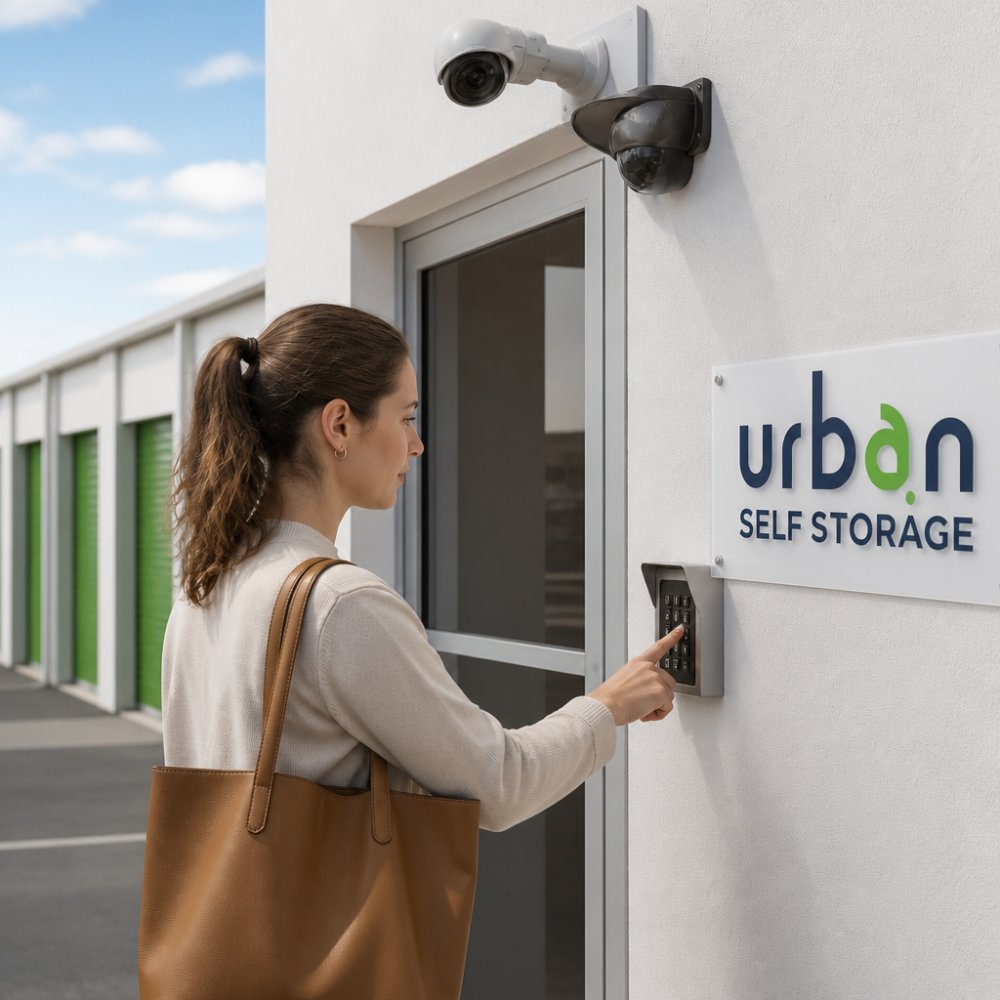
Storage unit access control systems are the electronic gatekeeping that manages who enters a facility and when, typically through keypad entry, individual access codes and recorded access logs.
The main access control types compared
Most facilities use one of four approaches, and each has a different security profile:
- Shared keypad code, one code for all tenants. Cheapest to run, weakest for accountability. If a code leaks, nobody knows who used it.
- Individual keypad code, each tenant gets a unique PIN. Entry is timestamped against that code, so access logs are meaningful. This is the minimum standard worth accepting.
- Fob or swipe card, a physical credential tied to a tenant account. Harder to share casually than a code, and easy to deactivate if a card is lost.
- Mobile app access, the credential lives on the tenant’s phone. Convenient and revocable remotely, but depends on the facility’s software being maintained and the tenant’s phone being charged.
A smaller number of facilities now use biometric entry (fingerprint or facial recognition) at the gate. It’s rare in the Australian self storage market and usually reserved for high-value or commercial zones, but it’s worth asking about if you’re storing expensive equipment.
What to compare feature by feature
When you’re weighing two facilities, put their access control side by side on these points:
- Credential type, code, fob, app or biometric
- Uniqueness, is every tenant’s credential distinct, or shared?
- Access hours, office hours only, extended hours, or genuine 24/7?
- Log retention, how long are entry records kept, and can they be produced after an incident?
- Override access, do staff hold a master code or key to your unit?
- After-hours alerts, does the system flag unusual entry times to staff?
- Integration, does the access system talk to the CCTV system, so footage can be matched to a specific entry event?
That last point is the one most renters never think to ask about, and it’s the one that matters most after a break-in. A camera that records continuously is useful; a camera whose footage can be tied to a specific access event is far more useful to police and to an insurer.
Common weaknesses in access control
A few patterns show up repeatedly:
- Shared codes in commercial zones, convenient for a business with rotating staff, but it destroys the audit trail.
- Codes that aren’t deactivated, when a tenant moves out, is their code cancelled the same day? Ask.
- Gate tailgating, an individual code means nothing if a second vehicle follows the first through the gate. Some facilities use anti-tailgating loops or intercoms to manage this; most don’t.
- App dependency, if the facility’s app goes down, can you still get in? Confirm there’s a fallback.
If a facility can’t answer these questions clearly, that tells you something about how seriously they treat the layer that actually prevents unauthorised entry.
Your Storage Unit Security Checklist
Use this checklist on a site visit. It’s the fastest way to separate facilities that take security seriously from those that talk about it.
Book Online in 3 Minutes & Get 50% Off Instantly →
- Perimeter fence is intact with no gaps or climbable objects nearby
- Gated entry requires a code or fob, not a shared key
- Each tenant receives an individual access code
- Access logs are recorded and retrievable
- CCTV covers entry points, driveways and unit corridors
- Cameras record continuously, not only on motion
- Alarm system is monitored, not just audible
- Site is well lit at night, including between buildings
Skipping the insurance question is the most expensive mistake renters make. Facility security reduces risk; it does not remove it. If your goods aren’t covered by your own policy, a break-in becomes a total loss regardless of how good the cameras are.
Storage Facility Security Questions to Ask
Ask these before you commit. The answers reveal more than any brochure.
“Can I see the camera coverage?” A facility confident in its surveillance will walk you past the monitors.
“Do you hold a key or override to my unit?” Some facilities retain access for emergencies.
“What does my own insurance need to cover?” Storage facilities generally don’t insure your goods.
For business tenants storing stock or equipment, ask whether the facility separates commercial and personal zones.
Insurance, Liability and Security Limits
No security system makes a facility liable for your belongings. In Australia, storage facilities typically contract out of liability for loss or damage through the terms of the storage agreement, which means your protection comes from your own insurance policy, not the facility’s.
This is the part renters consistently underestimate. You can choose the most secure facility available and still carry the full financial risk if your policy doesn’t cover goods in storage.
What the facility’s agreement usually says
Most Australian storage agreements include a clause limiting the facility’s liability for loss or damage to your goods, regardless of the security systems in place. This is a contractual position, not a reflection of how good the security is.
Some agreements also require you to hold your own insurance as a condition of storing with them. If that’s the case, you’ll usually need to provide a certificate of currency before you move in.
What your own policy needs to cover
Before you move anything in:
- Check whether your home contents policy covers items in off-site storage, and whether there’s a cap on that cover
- Confirm whether the limit applies per-item or in total, and whether high-value categories (jewellery, tools, electronics) are excluded
- For business stock, check your commercial policy separately, many business policies exclude goods held in third-party storage
- Ask the facility what documentation they provide for insurance claims, such as access logs or incident reports
- Read the storage agreement’s liability clause rather than assuming
If you’re storing a caravan, boat or jet ski, these usually need their own cover. Our caravan storage and boat storage pages set out what to confirm before booking.
Photograph your stored items and keep a dated inventory list. If you ever need to claim, an itemised record with photos is the difference between a smooth claim and a disputed one.
If something goes missing: incident procedure
If you arrive at your unit and suspect a break-in, the order of steps matters:
- Don’t enter or move anything if the door or lock appears tampered with. Preserve the scene.
- Contact the facility immediately and ask them to preserve CCTV footage for the relevant period. Footage is often overwritten on a rolling cycle, so the sooner you ask, the better.
- Report to police and get a report reference number. Most insurers will ask for this.
- Notify your insurer as soon as practical, and provide the police reference, your inventory, and any access log information the facility can supply.
- Request a written incident report from the facility, including the access log for the relevant period.
A facility that can produce access logs and footage quickly is worth more in this moment than one with a slightly better camera spec.
Security trade-offs by what you’re storing
Not every renter needs the same security profile:
- Household goods, individual access code, monitored alarm, and continuous CCTV coverage of corridors is usually sufficient. Confirm your contents policy covers off-site storage.
- Business inventory, prioritise individual credentials for every staff member, retrievable access logs, and after-hours entry alerts. Check your commercial policy separately.
- Vehicles, caravans and boats, look for gated compounds with restricted vehicle access, lighting between bays, and CCTV covering the compound rather than just the gate. These items usually need dedicated cover.
- High-value or irreplaceable items, consider whether self storage is the right option at all. If it is, ask about biometric or dual-credential access, and confirm your policy’s per-item limits before you commit.
Frequently Asked Questions
What security features should I look for in a storage facility?
Look for 24/7 CCTV surveillance with continuous recording, individual keypad access codes, perimeter fencing and security lighting, and a monitored alarm system. Ask whether cameras cover corridors and entry points or just the gate. A facility with multiple layers working together, such as gated entry plus on-site staff plus recording, offers better protection than one relying on a single measure. Always inspect the facility in person before signing.
Are CCTV cameras enough to secure a storage facility?
No. Cameras record incidents but do not prevent them on their own. Effective security combines video surveillance with access control, alarm systems, security lighting and perimeter fencing. Cameras are most useful when footage is monitored or reviewed regularly and when coverage includes blind spots like stairwells and loading bays. Ask how long footage is retained and whether it can be accessed for an incident report.
Does storage facility security guarantee that my belongings are safe?
No security system can guarantee zero risk. Reputable facilities reduce risk through layered measures, but you should still insure your stored items. Check whether your home contents policy extends to off-site storage or whether you need separate cover. Read the policy conditions carefully, including exclusions for certain items and claim procedures. Ask the facility what their incident response process involves if something goes wrong.
How does electronic access control work at a storage facility?
Each renter receives a unique access code linked to their unit. The system logs every entry and exit with a timestamp, so the facility can trace who accessed the site and when. Some systems integrate with mobile apps for real-time alerts. Access control works best alongside CCTV and alarm monitoring, since the logs help identify unusual activity patterns. Ask whether your code is deactivated immediately when you move out.
Choosing storage comes down to trust, and trust should be verifiable. At Urban Self Storage, we back ours with advanced 24/7 CCTV surveillance, individual access control and modern, clean facilities across our East Bunbury and Picton locations. With flexible short and long-term options and a move-in process that takes under 10 minutes, you can secure your space without the paperwork headache. Book online now and see the difference for yourself.