
Last Updated: November 5, 2026
Quick Summary
Storage unit security is moving from padlocks and clipboards to smart access control, AI-powered surveillance and cloud-based monitoring that records every entry and alerts managers in real time. Facilities that document access, retain footage and handle data lawfully under the Privacy Act 1988 are best placed to protect tenants and satisfy insurers.
- Digital locks log every entry with a timestamp, while a keyed padlock records nothing.
- AI analytics flag loitering, forced gates and unusual failed access attempts in real time.
- Cloud copies of footage survive even if on-site recorders are damaged or stolen.
- Ask facilities how long footage is retained and whether access logs are stored separately.
- A facility that upgraded only the gate but kept keyed unit padlocks has a split audit trail.
Table of Contents
- Why Storage Unit Security Is Changing
- Smart Storage Facility Access Control Replaces the Padlock
- AI-Powered Surveillance for Self-Storage
- Cloud-Based Monitoring and Remote Oversight
- Cybersecurity, Privacy and Data Protection
- Legacy Systems, Sustainability and Insurance
- How to Choose a Secure Storage Unit
- Book a Secure Unit Online
- Frequently Asked Questions
Why Storage Unit Security Is Changing
Storage unit security is the combination of physical access control, surveillance and monitoring systems that protect stored goods and the people who store them. The definition of that term has shifted quickly.
Several forces sit behind the change. Self-storage tenants now expect the same convenience they get from a banking app: entry when they need it, a clear record of who came and went, and no paperwork at the gate.
Below, we break down the eight trends reshaping storage unit security, from smart access control to privacy obligations, and show you how to judge a facility on the strength of its systems rather than its marketing.
Smart Storage Facility Access Control Replaces the Padlock
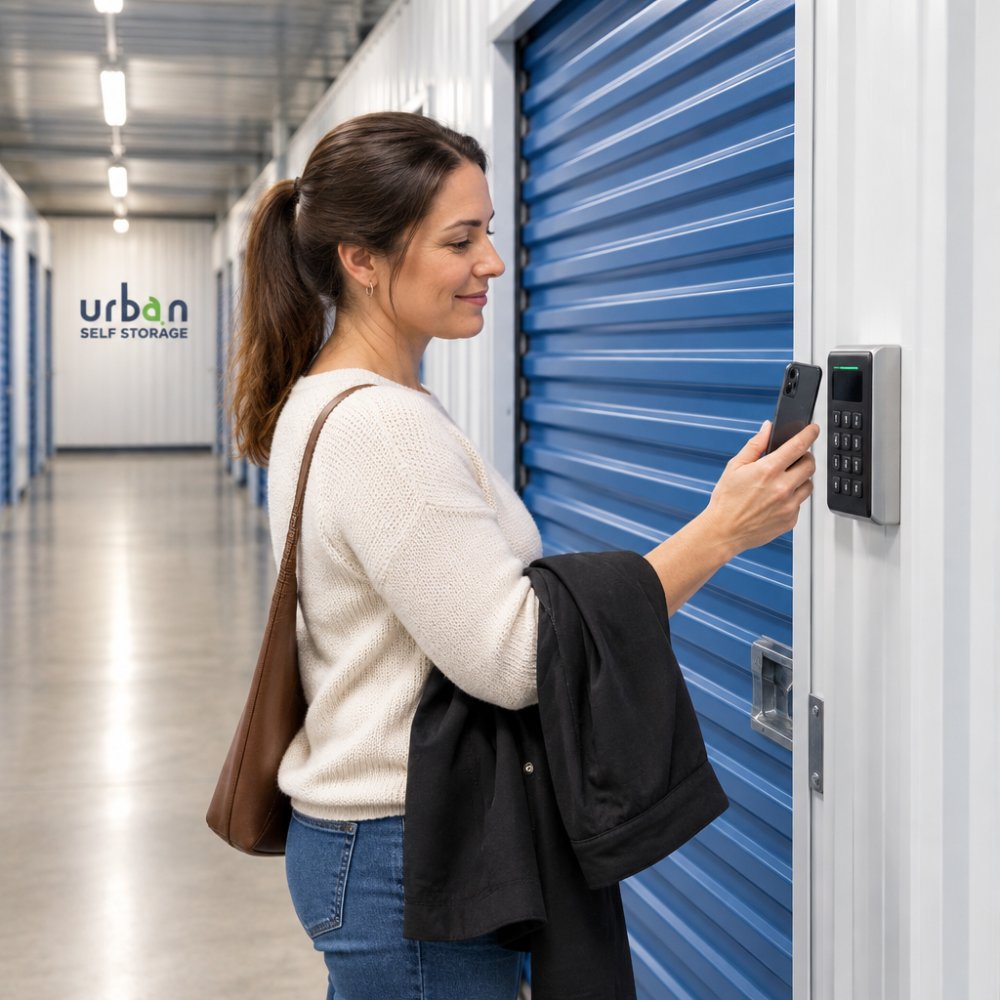
Smart storage facility access control swaps the padlock and key for digital identity checks, app-based entry and an automatic log of every visit. The padlock is not gone, but it is no longer the first line of defence.
What most guides miss is the audit trail. A keyed padlock tells you nothing about who opened a unit or when. A digital lock records it.
The woman is Australian.
How Keyless Entry Works in Practice
The process is simpler than most tenants expect:
- You rent a unit online and verify your identity.
- The facility issues a digital credential to your phone or a personal PIN.
- You arrive, authenticate at the gate, then at your unit door.
- The system logs the entry with a timestamp.
- Access expires automatically when your agreement ends.
For a caravan owner who wants to check on a van at short notice, or a tradesperson collecting tools before an early job, that removes the reception-desk bottleneck. If you want to understand the lock types themselves, our guide to the best locks for storage units compares disc cylinder and smart lock options.
AI-Powered Surveillance for Self-Storage
AI-powered surveillance for self-storage uses software to analyse camera feeds in real time and flag unusual activity, rather than relying on someone watching a wall of screens. It is the biggest change to facility monitoring in years.
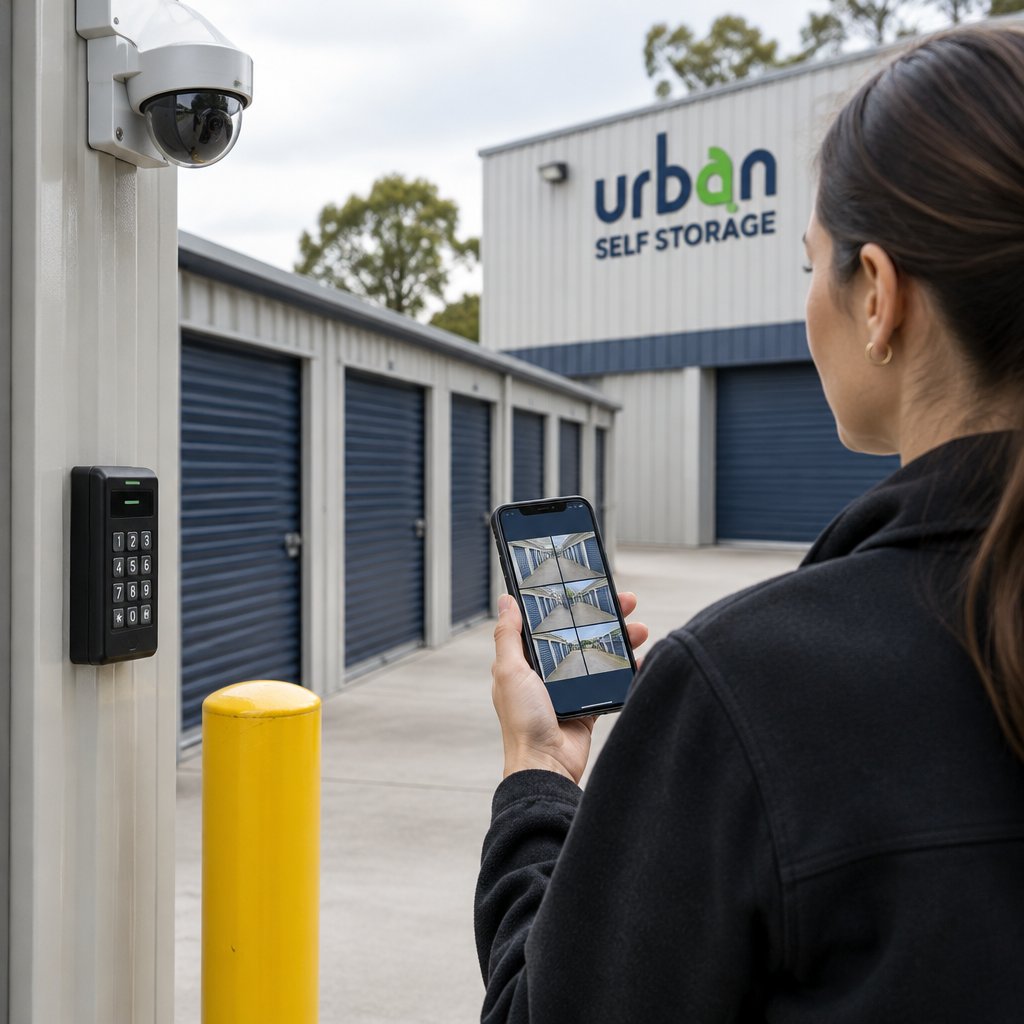
AI-powered analytics can alert a facility manager to unusual activity, such as a person loitering at a gate at an odd hour, without someone needing to review hours of footage.
What AI Notices That a Camera Alone Cannot
A camera records. Analytics interpret. The difference matters when you are trying to prove something happened.
- A person entering a gate outside access hours
- A vehicle lingering near the perimeter for an unusual period
- A door held open longer than normal
- A sudden spike in failed access attempts
Watch out: analytics are only as good as the camera placement and lighting behind them. A cheap system pointed at a dark corner will generate false alerts and teach staff to ignore them, which is worse than no alerts at all.
Cloud-Based Monitoring and Remote Oversight
Cloud-based management moves footage and access logs off an on-site recorder and into a secure remote platform. Operators can check a facility from anywhere, and footage survives even if equipment on site is damaged, stolen or tampered with. That last point is the one tenants underestimate: an on-site recorder in a storage facility is itself a target, and a cloud copy is the difference between evidence and no evidence.
Remote monitoring, real-time alerts and centralised access control can allow a small team to oversee more than one site.
What Remote Oversight Actually Involves
A well-run cloud setup typically includes:
- Centralised access control, so a manager can grant or revoke credentials across sites from one dashboard
- Real-time alerts pushed to a phone when a gate is forced, a door is held open, or access is attempted outside hours
- Footage retention policies, so old video is automatically overwritten rather than kept indefinitely
- Separate storage of access logs from video, so the audit trail survives even if the camera system fails
- Multi-factor authentication for staff accounts, because a cloud dashboard is only as secure as its login
The trade-off is dependency on connectivity and on the provider. If the internet link at a facility drops, cloud-only systems can leave staff without live visibility until it is restored. Most operators mitigate this with a local buffer that caches footage and access events during an outage and uploads when the link returns.
Watch out: ask any facility you are considering how long footage is retained and whether access logs are kept separately from the video system. If the answer is vague, treat it as a warning sign.
Cybersecurity, Privacy and Data Protection
Every smart lock and cloud camera creates a data trail, and that trail is regulated. In Australia, the Privacy Act 1988 and the Australian Privacy Principles govern how personal information, including CCTV footage, is collected, stored and disclosed.
The Office of the Australian Information Commissioner’s guidance on surveillance and privacy sets out how organisations should handle footage and personal data.
Book Online in 3 Minutes & Get 50% Off Instantly →
For readers who want the detail, our guides to CCTV storage footage and data protection and the legal requirements for storage unit surveillance explain what facilities should be doing and what you can reasonably ask about.
Legacy Systems, Sustainability and Insurance
Three quieter trends matter as much as the headline technology, and most guides skip them entirely. They are also the questions that separate a facility genuinely future-proofing its security from one buying shiny hardware.
Retrofitting Legacy Facilities
Most facilities are not building from scratch. New access control and cameras must work with existing roller doors, gate operators, alarm panels and electrical wiring that may be decades old.
A common pattern is to phase the work: start with access control at the gate, because it delivers the audit trail and remote management that operators need most, then layer unit-level locks and camera analytics onto the same platform.
Watch out: a facility that upgraded only the front gate but left unit doors on keyed padlocks has a split system, and the audit trail stops at the gate.
Sustainability and Green Security
Cloud-hosted systems can reduce on-site hardware and power draw, and analytics can cut the hours staff spend reviewing footage. But green security is not just about electricity.
Most practitioners find that the sustainability case is strongest when security hardware is treated as long-life infrastructure rather than a disposable purchase. Ask a facility whether its systems are remotely updatable and whether it has a plan for end-of-life hardware, because a facility that replaces kit every few years is neither green nor cost-effective.
Insurance and Liability Implications
Insurers increasingly look at whether a facility has documented access control and retained footage when assessing risk. A facility that can show a clear audit trail, defined retention periods and evidence of who accessed which unit is in a stronger position than one relying on a padlock and a promise.
The liability question cuts both ways. A facility that records everything must also handle that footage lawfully under the Privacy Act 1988 and the Australian Privacy Principles, which we cover below. A facility that records nothing may struggle to defend a claim.
How to Choose a Secure Storage Unit
Choosing a secure storage unit means judging the systems, not the signage. The right facility will answer specific questions about access control, surveillance, data handling and contract terms without hesitation.
Use this checklist when you visit or call:
- Is entry controlled by digital access with a recorded log?
- Are cameras monitored, and how long is footage retained?
- Can I access my unit when I need to, and are there restricted hours?
- What is the contract length, and are there fees for early exit?
- Is the facility clean, well lit and free of obvious damage?
- Can I see the unit before I commit?
- How is my personal data and footage handled?
Questions to Ask Before You Sign
The questions that separate a good facility from a great one are usually about the fine print. Ask what the move-in process actually includes, whether ID and insurance details are required, and what happens if you need access more often than expected. Ask to see the unit, not just a photo. A facility confident in its security will welcome the visit.
Our checklist of questions to ask before renting a storage unit walks through each one so you can compare facilities on equal terms.
Use this checklist to judge a facility on its systems rather than its signage.
| Question to ask | What to look for |
|---|---|
| Is entry digitally controlled? | Recorded log of every visit |
| Are cameras monitored? | Clear answer on footage retention period |
| Can I access my unit when needed? | Restricted hours explained upfront |
| What are the contract terms? | Contract length and early exit fees |
| Is the facility well kept? | Clean, well lit, free of obvious damage |
| Can I see the unit first? | Visit before committing, not just a photo |
| How is my data handled? | Clear privacy policy on footage and personal data |
Book a Secure Unit Online
The final trend is the simplest to benefit from: booking online. Booking online lets you choose a unit and start the move-in process without a trip to the office. Urban Self Storage offers a quick move-in process in less than 10 minutes, 24/7 CCTV surveillance, flexible short and long-term options and multi-size units across our East Bunbury and Picton locations.
If you are ready to see how modern storage security works in practice, our guide to booking a storage unit online shows you what to expect at each step. Whether you need space for furniture during a renovation, secure parking for a caravan or boat, or flexible room for business stock, you can book online now and get access the same day.
Frequently Asked Questions
How is technology improving storage unit security?
The biggest shift is from passive recording to active prevention. Traditional setups relied on cameras that captured footage after an incident. Newer systems combine smart storage facility access control with AI-powered surveillance for self-storage, so the facility is alerted the moment something unusual happens, such as a gate held open or movement in an aisle outside access hours. Digital entry logs also create a record of who entered and when, which supports faster incident response and gives customers a clearer picture of how their unit is protected.
Are smart locks becoming standard in self-storage facilities?
They are becoming common in newer and refurbished facilities, though uptake varies. If you are comparing facilities, ask whether units use keyless entry or a traditional lock, because it changes how access is managed day to day.
How can customers verify the security of a storage unit?
Ask specific questions rather than accepting a general claim of 24/7 monitoring. Find out whether cameras cover the gate, aisles and your unit door, whether footage is actively monitored or only recorded, and how access is controlled after hours. Request a site visit before signing so you can see the lighting, fencing and condition of the facility yourself. A well-run site will happily show you around, explain how to choose a secure storage unit, and put the access and monitoring arrangements in writing.
What are the benefits of remote monitoring for storage facilities?
Remote monitoring lets a facility keep watch without staff on site around the clock. Remote monitoring systems can send alerts to managers when unusual activity is detected, which can shorten the time between an incident and a response.
Security technology only matters if the facility behind it is run well. Urban Self Storage pairs app-based access, 24/7 CCTV surveillance and clean, modern facilities with short and long-term options and a move-in process that takes under ten minutes. Get started with Urban Self Storage and store your belongings with confidence.
