

Table of Contents
- Legal Requirements for Storage Unit Surveillance: The Framework
- CCTV Signage Requirements: What Must Be Displayed and Where
- Camera Placement: Common Areas, Entry Points and Individual Units
- Security Camera Footage Retention: How Long to Keep Recordings
- CCTV Footage Access and Disclosure: Requests, Police and Evidence
- Privacy Policy for CCTV: Notices, Consent and Customer Communication
- A Practical Compliance Checklist for Storage Operators
- Conclusion: Getting Surveillance Right for Your Facility
- Frequently Asked Questions
Last Updated: October 8, 2026
Legal Requirements for Storage Unit Surveillance: The Framework
Storage unit surveillance in Australia sits at the intersection of privacy law, state surveillance device legislation, and contract law. At Urban Self Storage, we run 24/7 CCTV across our Bunbury area facilities, so we deal with these rules daily. This guide explains what the legal requirements for storage unit surveillance actually demand from operators, and where the line between lawful monitoring and unlawful surveillance falls.
Two layers of law apply. First, Commonwealth privacy legislation governs how you handle personal information, including footage. Second, each state and territory has its own surveillance and listening device laws that decide where a camera may lawfully point.
Federal, State and Territory Laws That Apply
The Privacy Act 1988 (Cth) and the Australian Privacy Principles set the national baseline for handling personal information. The Office of the Australian Information Commissioner (OAIC) enforces it and publishes guidance on surveillance and personal information. Footage that identifies a person is personal information, full stop.
Small businesses with turnover under the threshold are often exempt from parts of the Privacy Act, but that exemption is narrower than most operators assume. It does not cover health information, and it does not override state surveillance laws.
State and territory surveillance device acts then determine where cameras can physically go. These differ meaningfully between jurisdictions, so a national template will not keep you compliant.
Where Surveillance Camera Use Becomes Unlawful
Camera use becomes unlawful when it captures a place where a person has a reasonable expectation of privacy, such as inside a toilet, change room, or a hired unit’s private interior, without lawful authority. Recording private conversations without consent is a separate offence under listening device provisions.
Three common breaches we see operators make:
- Pointing a camera so it captures the interior of a neighbouring property
- Recording audio alongside video without checking state listening device rules
- Failing to tell customers that surveillance is operating at all
Each carries real consequences, from privacy complaints to criminal liability.
CCTV Signage Requirements: What Must Be Displayed and Where
CCTV signage requirements are straightforward: tell people clearly that cameras are operating, where they are, and who to contact about the footage. Signage must be visible before a person enters a monitored area, not buried in a lease document.
A compliant sign typically states:
- That CCTV is in operation
- The purpose, such as security and incident investigation
- Who operates the system and how to make an enquiry
Place signs at every entry point, at the main gate, and in common areas. A single sign at reception does not cover a facility where customers self-access units at all hours.
Camera Placement: Common Areas, Entry Points and Individual Units
Camera placement should focus on entry points, driveways, corridors, and common areas, because those are where security incidents actually occur and where privacy expectations are lowest. Cameras that cover a customer’s own unit door are generally fine. Cameras that see inside a unit are not.
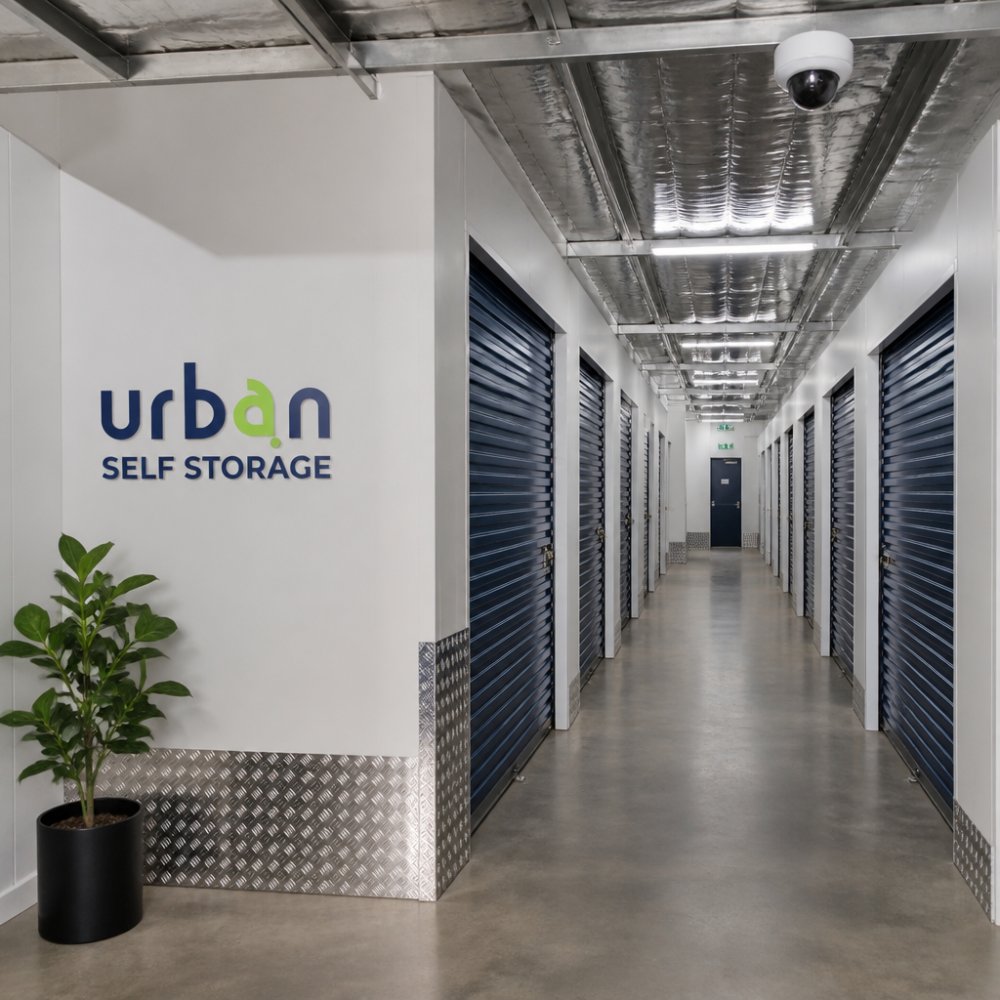
A practical placement hierarchy for most facilities:
| Area | Camera Recommended | Privacy Risk |
|---|---|---|
| Main gate and driveway | Yes | Low |
| Corridors and common areas | Yes | Low |
| Individual unit doors | Yes | Low to moderate |
| Inside a hired unit | No | High |
| Toilets and change areas | Never | Unlawful |
Can Cameras Record Inside an Individual Storage Unit?
No. Cameras should not record inside an individual storage unit. A hired unit is the customer’s private space for the term of their agreement, and covert or overt recording inside it will breach surveillance device laws and privacy expectations.
Book Online in 3 Minutes & Get 50% Off Instantly →
If you need to inspect a unit, do it under the access rights in your lease agreement, with proper notice, and document it. Never install a camera to avoid that process.
Security Camera Footage Retention: How Long to Keep Recordings
Security camera footage retention should be long enough to investigate an incident but no longer than necessary. Many operators keep footage for 30 to 90 days as a working rule, then delete it on a scheduled basis.
Retention decisions should weigh:
- How long incidents typically take to surface
- Whether footage is needed for an insurance claim
- Storage cost and data security burden
Holding footage indefinitely increases your risk. If you do not need it, deleting it on schedule is the safer position.
CCTV Footage Access and Disclosure: Requests, Police and Evidence
Most competitors stop at “log the request and verify identity.” That is not enough. Footage access and disclosure is where storage operators most often breach the Australian Privacy Principles, because the rules differ depending on who is asking and why.
Three categories of request. Treat them differently.
-
The person in the footage (or their authorised representative). Under APP 12, an individual can request access to personal information you hold about them, including CCTV footage. You must respond within a reasonable period, the OAIC generally treats 30 days as reasonable, and you can charge a reasonable administrative fee for the cost of providing access, but you cannot charge for the mere making of the request. If the footage also contains other identifiable people, you may need to redact or refuse access to the extent it would unreasonably affect their privacy.
-
Police or a government agency. Police can request footage, but a request is not the same as a legal power. In most circumstances, you should ask for the request in writing, confirm the officer’s identity and station, and record what you hand over. Some state surveillance and privacy regimes permit disclosure to law enforcement where it is reasonably necessary for an enforcement-related purpose. If you are unsure, seek legal advice before releasing. Never hand over original recordings, provide a copy and preserve the original.
-
Insurers, lawyers, or other third parties. These requests usually require the customer’s consent or a court order. An insurer investigating a claim may have the customer’s authority, but you should see that authority in writing. A lawyer’s letter is not a legal compulsion unless it is a subpoena or court order.
Access versus correction. APP 12 covers access. APP 13 covers correction. If a customer says the footage is wrong or misleading, that is a correction request, and you need a separate process for it.
A disclosure decision tree.
- Is the requester the person in the footage? → APP 12 access request. Verify identity, check for third-party privacy, respond within 30 days.
- Is the requester police? → Ask for written request, verify identity, check whether disclosure is permitted under your state’s surveillance or privacy regime, record the disclosure.
- Is the requester an insurer or lawyer? → Require written consent from the customer or a court order.
- Is the requester anyone else? → Do not disclose without consent or legal authority.
Evidence preservation. The most common way operators lose usable evidence is overwriting. If an incident occurs, theft, damage, injury, or a police enquiry, isolate the relevant clip immediately and export it to a separate, access-controlled location. Do not rely on the recorder’s retention window.
What to record for every request.
- Date and time of request
- Requester’s name, contact details, and relationship to the footage
- Legal basis for the request (APP 12, police request, consent, court order)
- What was disclosed, in what format, and to whom
- Who authorised the disclosure internally
- Any redactions applied
When to refuse. You can refuse access where giving it would have an unreasonable impact on the privacy of others, where the request is frivolous or vexatious, or where the footage relates to existing or anticipated legal proceedings. Refusals must be in writing and should explain the ground relied on. If a customer disputes the refusal, they can complain to the OAIC.
Book Online in 3 Minutes & Get 50% Off Instantly →
Retention and deletion. Footage should be kept only as long as needed for the purpose it was collected.
A note on audio. If your system captures audio, disclosure rules are stricter. Several jurisdictions require consent from all parties to a private conversation before it can be recorded or disclosed.
Privacy Policy for CCTV: Notices, Consent and Customer Communication
A privacy policy for CCTV should explain what you record, why, how long you keep it, and how someone can access or complain about it. Publish it where customers can find it before they sign.
Your policy should cover:
- Purpose of surveillance
- What is captured and where
- Retention period and deletion
- How to request access
- How to make a privacy complaint
Consent is not always the right frame. In many cases, clear notice is the operative requirement. Telling people plainly is more reliable than assuming agreement.
A Practical Compliance Checklist for Storage Operators
Run this checklist at least once a year, and again whenever you add or move a camera.
- Confirm every camera points only at lawful areas
- Check no camera captures inside a unit or a neighbouring property
- Verify signage at every entry point and common area
- Confirm audio recording is off unless lawful in your state
- Review retention period and delete on schedule
- Test the access and disclosure request process
- Update the privacy policy and lease notices
- Record who has staff access to footage
- Document your incident response steps
- Check third-party providers meet your privacy obligations
This checklist separates legal obligations from recommended practice. Both matter, but only one keeps you out of a complaint.
Conclusion: Getting Surveillance Right for Your Facility
Good surveillance is not about more cameras. It is about placing the right cameras in the right spots, telling people clearly, and handling footage responsibly.
At Urban Self Storage, our facilities run advanced 24/7 CCTV alongside a simple, hassle-free move-in process, so you get security without the paperwork. Whether you need short and long term storage in Bunbury WA, caravan storage, or business storage, our team can help you find the right unit fast. Book online now and secure your space in minutes.
Frequently Asked Questions
Do storage facilities need to tell customers that CCTV is operating?
Yes. Under Australian privacy law, a storage facility must take reasonable steps to notify people that surveillance is operating. In practice this means clear signage at entry points and in common areas, plus a reference in the lease agreement and privacy policy. Signage should be placed before someone enters a monitored area, not after. Without proper notice, the facility risks a privacy complaint even if the cameras themselves are lawfully installed.
Can CCTV cameras record inside individual storage units?
Generally no. A storage unit is a space the customer has paid to control, so recording inside it raises serious privacy concerns and is unlikely to be lawful without a specific legal basis. Cameras should cover common areas, corridors, entry and exit points, and the perimeter instead. Audio recording and analytics technologies add further obligations, so operators should seek legal advice before deploying them. This is one of the clearest lines in storage unit surveillance.
How long can a storage facility keep CCTV footage?
There is no single national retention period. Footage retention should be guided by the purpose it was collected for, the facility’s privacy policy, and any state or territory requirements. Common practice is to keep recordings for a set period such as 30 to 90 days, then delete them unless they relate to an incident, insurance claim or law enforcement request. Keeping footage indefinitely creates unnecessary data protection risk.
Can a storage facility share surveillance footage with police?
A facility can provide footage to police when there is a lawful request, such as a warrant, subpoena or a genuine investigation into a serious offence. The request should be documented, and only the relevant footage should be disclosed. Customers should be told about disclosure through the privacy policy. Unauthorised access or sharing of footage outside these channels can breach privacy law and damage trust in the facility.