
Table of Contents
- Physical Self-Storage Units for Business Inventory
- Cloud Storage Solutions: Google Drive and Dropbox
- Short-Term vs Long-Term Business Storage: Which Suits Your Needs
- How to Organise a Business Storage Unit for Maximum Efficiency
- Inventory Management Software: Zoho and Cin7 Core
- Self-Storage Tax Deductions for Small Business in Australia
- Choosing the Right Storage Solution for Your Business
Last Updated: August 19, 2026
Physical Self-Storage Units for Business Inventory
Physical self-storage units remain the most straightforward solution for businesses needing tangible space for inventory, equipment, or documents. Unlike cloud alternatives, these units give you direct access to your stock whenever you need it, with no login delays, bandwidth limitations, or syncing issues.

For e-commerce retailers, tradespeople, and service businesses, physical storage is often the only practical option. You can’t run a plumbing operation from Google Drive or store 500 units of stock in Dropbox.
Urban Self Storage offers flexible short- and long-term options across two Bunbury locations, with units ranging from small lockers to large commercial spaces. The facility features 24/7 CCTV surveillance, gated property access with unique PIN codes, and individually alarmed units, critical when storing high-value inventory. Quick move-in takes less than 10 minutes.
The real advantage is scalability without commitment. Growing businesses can upgrade to larger units as stock increases, and downsize during slower seasons to reduce overhead. No long-term contracts lock you in.
The main limitation: physical storage requires you to be present to retrieve items. If your business operates across multiple locations or needs 24/7 automated access to data, you’ll need a hybrid approach combining physical storage with digital inventory management systems.
Measure your current inventory footprint before selecting a unit size. Most businesses underestimate by 20-30% and end up renting larger units than necessary. Stack items vertically and use shelving systems to [maximise usable space](/how-to-optimize-your-business-storage-space-for-maximum-efficiency/).
Cloud Storage Solutions: Google Drive and Dropbox
Cloud storage solves a different problem: it’s designed for digital files, documents, and data that your team needs to access remotely. For businesses storing product specifications, customer records, financial documents, or design files, cloud storage is essential.
Google Drive integrates seamlessly with Google Workspace applications, making it ideal for teams using Docs, Sheets, and Slides. Real-time collaboration means multiple team members can edit documents simultaneously without version control issues. The free tier offers 15 GB, while Business Starter plans begin at AUD $8.40 per user per month with 30 GB per user.
Google Drive’s strength is workflow integration. If your team uses Gmail, Calendar, and Google Meet already, adding Drive creates a unified ecosystem. However, as your document library grows, organisation becomes critical without deliberate naming conventions.
Dropbox Business emphasises strong file sharing and backup capabilities. Starting at AUD $20 per user per month for Standard plans (5 TB storage), Dropbox includes file recovery and integration with hundreds of third-party applications. The platform excels at version history, you can restore previous versions up to 180 days back, valuable when mistakes happen.
Dropbox outperforms Google Drive with multimedia handling. If your business works with large video files, design assets, or photography, Dropbox’s infrastructure handles these better.
The tradeoff with both: they’re designed for file storage, not inventory management. You can store a spreadsheet listing stock, but you can’t track real-time inventory levels, set reorder points, or integrate with sales channels automatically. For digital-only businesses, this is perfect. For businesses with physical products, you’ll need inventory management software alongside cloud storage.
Both Google Drive and Dropbox require consistent internet connectivity. If your team works in locations with unreliable WiFi or mobile coverage, syncing delays and offline access issues become real problems. Test your connectivity before committing to cloud-only storage.
Short-Term vs Long-Term Business Storage: Which Suits Your Needs
The choice between short-term and long-term storage isn’t just about duration, it’s about flexibility, cost structure, and how predictable your storage needs are.
Short-term storage (typically 1-3 months) works for seasonal fluctuations, temporary overflow during growth, or equipment storage during renovations. You pay higher per-month rates but avoid long-term commitment. This suits e-commerce retailers managing peak season inventory, construction companies storing materials between jobs, or businesses relocating offices.
Urban Self Storage’s flexible rental model lets you rent for exactly as long as you need without penalty.
Long-term storage (6+ months) offers lower monthly rates because facility operators prefer predictable, stable tenants. If you know you’ll need storage for a year or more, for archived documents, seasonal equipment, or slow-moving inventory, long-term leases reduce your per-unit cost significantly.
Most small businesses benefit from short-term arrangements because business needs shift unpredictably. A retail business might need extra space during Christmas, then scale down in January. A tradesperson might store equipment short-term while building a new workshop.
Consider your inventory turnover rate. If items move frequently, short-term flexibility matters more than per-month savings. If you’re storing archived documents or seasonal equipment that sits untouched for months, long-term rates make financial sense.
Match your storage duration to your actual business cycle, not your optimistic estimate. Most businesses underestimate how long they’ll need storage and end up extending month-to-month anyway, which costs more than committing upfront to a longer term.
How to Organise a Business Storage Unit for Maximum Efficiency
Organisation determines whether your storage unit becomes a useful asset or a chaotic mess. Poor organisation wastes time, creates duplicate purchases, and makes accurate inventory tracking impossible.
Start with a clear inventory list before moving anything in. Document what you’re storing, approximate quantities, and access frequency. This baseline prevents storing items you’ve already forgotten about.
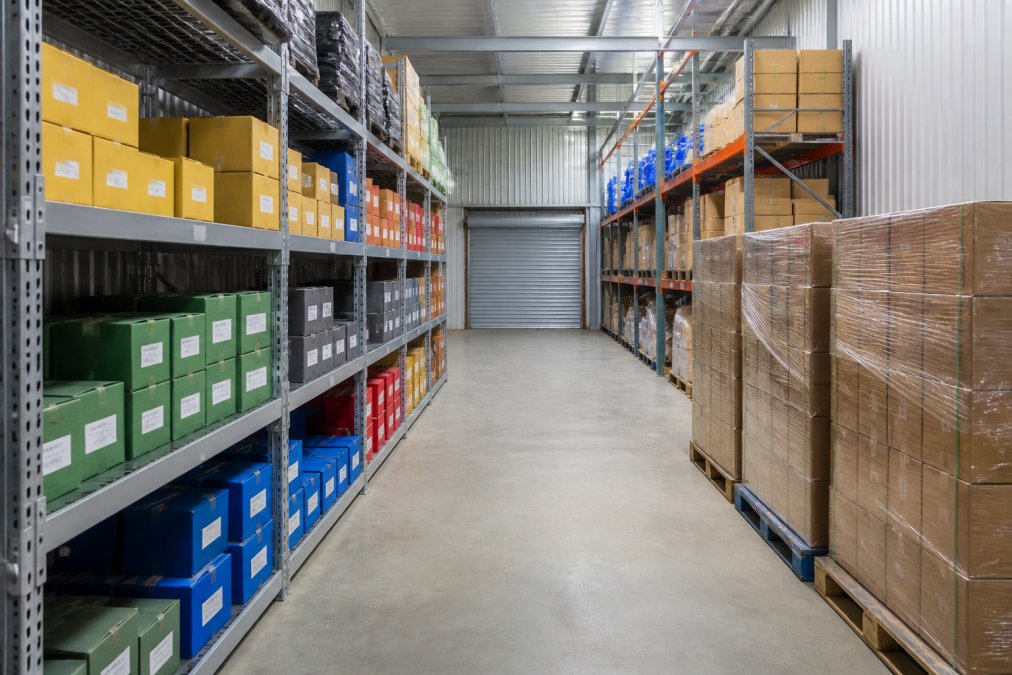
Vertical stacking is your primary efficiency tool. Use shelving systems to stack vertically rather than spreading items horizontally. This multiplies usable space and keeps frequently accessed items at eye level.
Labelling prevents wasted time searching. Use consistent systems: colour-coded boxes for product categories, clear text labels showing contents and dates, or QR codes linking to your inventory management system. Clear labelling cuts retrieval time from 15 minutes to 2 minutes.
Create access pathways through the unit. Leave at least one metre of clear walkway so you can reach items without moving other boxes first.
Separate high-turnover from low-turnover items. Stock you access weekly should be near the front and at convenient heights. Archive documents or seasonal equipment accessed quarterly can go deeper or higher on shelves.
Use pallet storage for heavy items or bulk inventory. Pallets distribute weight evenly and allow forklifts or pallet jacks to move items efficiently. Never stack loose boxes more than 1.5 metres high.
Implement a simple tracking system. A spreadsheet listing box numbers, contents, and location takes 30 minutes to create and saves hours of searching later.
Spending two hours organising a storage unit on day one saves 20+ hours over the following months by reducing search time and preventing duplicate purchases.
Inventory Management Software: Zoho and Cin7 Core
Physical and cloud storage handle the where; inventory management software handles the what and how much. Small businesses often struggle with stock scattered across storage units, retail locations, and warehouses, with no real-time visibility into quantities, locations, or reorder points.
Zoho Inventory starts with a free tier and paid plans beginning at AUD $79 per month (billed annually). The software tracks stock across multiple locations, integrates with e-commerce platforms like Shopify and WooCommerce, and syncs with accounting software like Xero. Real-time inventory monitoring prevents overselling, critical for online retailers. Barcode and QR code support means you scan items in and out rather than manually typing quantities, reducing errors dramatically.
Zoho’s strength is accessibility for small businesses. Setup takes hours rather than weeks, and the free tier lets you test it before committing. Automated stock reordering flags when inventory drops below thresholds you set, preventing stockouts.
Cin7 Core (formerly DEAR Systems) is purpose-built for multi-channel sellers and small manufacturers. It handles live inventory tracking across multiple locations, supports Bill of Materials for manufacturing, and integrates with Xero and MYOB. Warehouse management features include pick-and-pack workflows, barcode scanning, and automated order routing.
Cin7 Core costs significantly more than Zoho, but it scales to handle complexity that Zoho can’t manage. If you’re selling across Shopify, Amazon, and your own website simultaneously, Cin7 syncs inventory across all channels in real time, making overselling impossible.
For most small businesses, Zoho Inventory is the starting point. It solves 80% of inventory problems at an affordable price. As you grow and complexity increases, Cin7 Core becomes the upgrade path.
E-commerce retailers managing inventory across multiple sales channels should start with Zoho Inventory. Manufacturers or multi-location businesses should evaluate Cin7 Core despite the higher cost and complexity.
Self-Storage Tax Deductions for Small Business in Australia
One often-overlooked advantage of business storage: it’s tax-deductible. The Australian Taxation Office allows small businesses to claim storage expenses as a business deduction when used for business purposes.
To qualify, the storage must directly relate to your business operations. A tradesperson storing tools and materials qualifies. An e-commerce retailer storing product inventory qualifies. A consultant storing archived client files qualifies.
Keep detailed records: lease agreements, invoices, and payment receipts. The ATO expects documentation if you claim storage as a deduction. Monthly invoices from your storage facility serve as proof of expense and timing.
The deduction amount is straightforward: you claim the actual rental cost. If you pay AUD $200 per month for storage, that’s AUD $2,400 annually deductible from your business income. Urban Self Storage often provides first-month discounts, so factor those into your records.
Storage facility security features and insurance may also be deductible depending on your circumstances. Consult your accountant about what qualifies in your specific situation.
The practical impact: business storage costs less than it appears because the tax deduction reduces your taxable income. If you’re in the 37% tax bracket, a AUD $2,400 annual storage cost reduces your tax bill by approximately AUD $888, making your net cost closer to AUD $1,512.
Keep storage costs separate from other business expenses in your accounting system so your accountant can easily identify and claim them at tax time.
Choosing the Right Storage Solution for Your Business
The best storage solution depends on three variables: what you’re storing, how often you access it, and your budget.
For physical inventory and equipment: Physical self-storage is non-negotiable. Cloud storage and inventory software complement it but don’t replace it. Urban Self Storage’s flexible terms and multiple unit sizes let you match capacity to actual needs without overpaying. The 24/7 CCTV and secure access protect high-value stock.
For digital files and documents: Cloud storage is essential. Choose between Google Drive (if your team is already in the Google ecosystem) or Dropbox Business (if you need stronger sharing and backup features). Both integrate with inventory management systems, creating a hybrid approach where digital records sync with physical stock.
For inventory tracking: Inventory management software bridges the gap between physical storage and digital visibility. Zoho Inventory handles most small business needs at an affordable price. Cin7 Core scales to handle complexity as you grow. Both prevent costly mistakes from inventory blindness, overselling, duplicate purchases, and stockouts.
For cost optimisation: Understand the difference between short-term and long-term storage rates. If your needs are predictable, long-term leases save money. If your needs fluctuate, short-term flexibility prevents overpaying. Remember that storage expenses are tax-deductible, which reduces your effective cost.
The most successful small businesses use all three: physical storage for tangible assets, cloud storage for digital files, and inventory management software for real-time visibility. This approach prevents far more expensive problems than it costs.
Choosing the right storage for small business requires matching your specific needs to available solutions rather than defaulting to the most popular option. Urban Self Storage provides the physical infrastructure with flexible terms, modern security, and convenient Bunbury locations that work for most small businesses in the region. Pair that with cloud storage for digital files and inventory management software for real-time tracking, and you’ve built a storage system that scales with your business. Book online now to start with a storage solution designed for small business growth.
Frequently Asked Questions
Is self-storage tax-deductible for small businesses in Australia?
Yes, self-storage expenses can be tax-deductible if the storage directly relates to your business operations. The Australian Taxation Office (ATO) allows businesses to claim costs for storing business stock, equipment, or documents as deductible expenses. Keep receipts and records showing the storage is used for business purposes. Consult your accountant to ensure your specific storage use qualifies, as the rules depend on how the space is used and whether it's essential to your business operations.
What security features should I look for in business storage?
Prioritise 24/7 CCTV surveillance, gated property access with controlled entry, individually alarmed units, and secure locking mechanisms. Check whether the facility has on-site staff or remote monitoring. For high-value inventory or sensitive documents, ask about climate control to prevent damage. Verify that access is restricted to authorised users only, and confirm the facility has adequate lighting and clear sightlines. Request proof of security measures, such as footage samples or audit reports, before committing to a lease.
How do I choose the right size storage unit for my business?
List all items you plan to store and estimate their volume in cubic metres. Small units (1.5m x 1.5m) suit tools and small equipment; medium units (3m x 3m) work for excess inventory or seasonal stock; large units (5.9m x 4.8m) accommodate pallets and bulk stock. Consider future growth and leave 20% extra space for movement and access. Visit the facility to see unit dimensions firsthand. Many providers offer flexible sizing, so you can upgrade or downsize as your business needs change.
What's the difference between warehouse storage and self-storage for small businesses?
Warehouse storage typically requires long-term leases, higher minimum commitments, and shared space management. Self-storage offers flexible short-term and long-term options, individual unit control, and easier access for small quantities. Warehouses suit businesses with large volumes and complex logistics; self-storage works better for businesses with variable inventory, limited budgets, or those needing quick access. Self-storage also avoids overhead costs like staffing and utilities, making it more cost-effective for smaller operations.
Can I access my stored items whenever I need them during business hours?
Many modern facilities, including those with 24/7 access, allow you to retrieve items whenever needed through secure PIN codes and individual unit alarms. However, access policies vary by provider. Some offer round-the-clock access for business customers, whilst others have designated hours. Confirm the facility's access terms before signing a lease, especially if your business requires frequent retrieval of tools, materials, or stock. Look for facilities with heated and cooled access areas for comfort during business hours.
This article was written using GrandRanker