
Table of Contents
- Why CCTV Privacy Laws Matter for Self Storage Operators
- CCTV Signage Requirements Australia: What You Must Display
- How Long to Keep CCTV Footage: Legal Retention Periods
- Australian Privacy Principles Storage: Core Compliance Obligations
- Data Security and Breach Notification Requirements
- Third-Party Service Providers and Disclosure Rules
- Customer Access Rights and Privacy Complaints
- Conclusion
- Frequently Asked Questions
Last Updated: September 29, 2026
Why CCTV Privacy Laws Matter for Self Storage Operators
Self-storage operators must balance security with privacy law. Installing CCTV to protect customer belongings triggers strict legal obligations under Australia’s CCTV privacy laws storage framework.
The Privacy Act 1988 sets clear rules about collecting, storing, and using CCTV footage. Breaches trigger complaints, investigations, and reputational damage.
This guide covers essential privacy laws: signage requirements, retention periods, data security, and access requests.
CCTV Signage Requirements Australia: What You Must Display
Clear signage is your first line of defence. The Australian Privacy Principles require you to inform people when they’re being monitored, a legal obligation under the Privacy Act 1988.
What your signage must include:
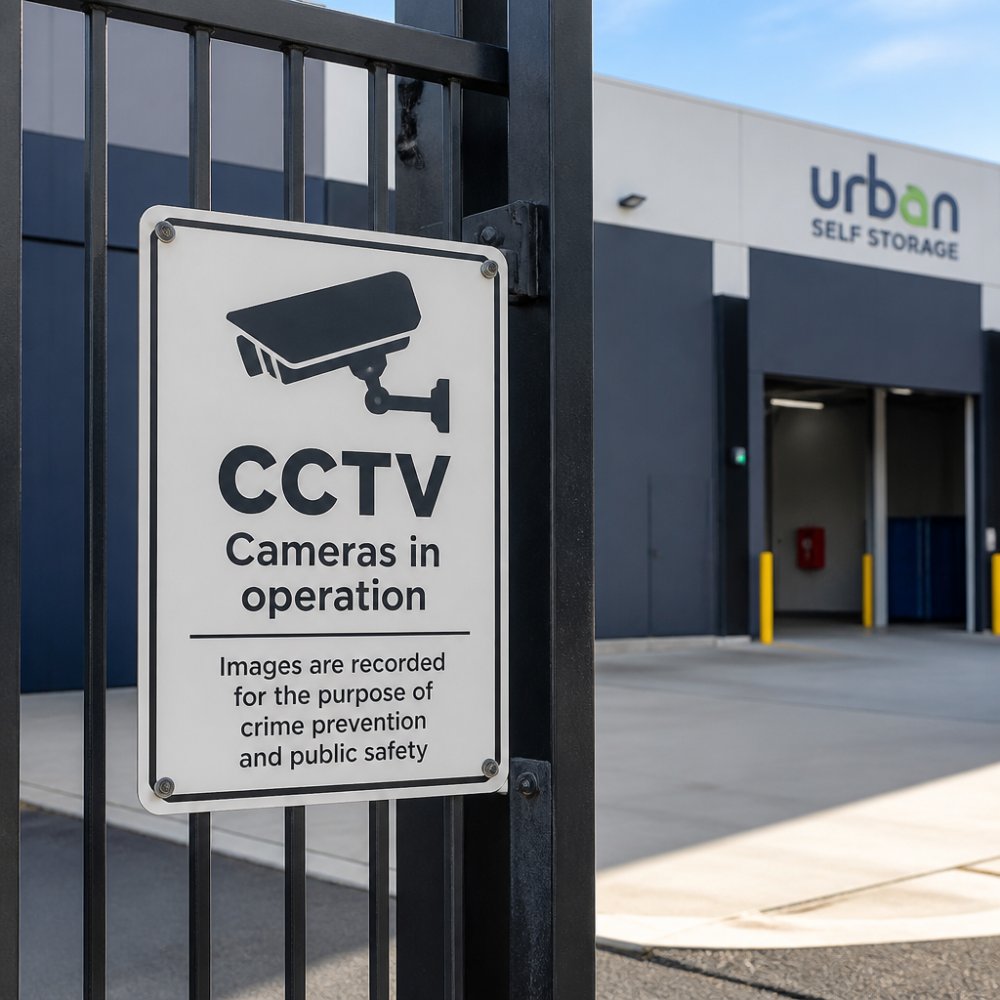
Display visible notices at every entry point stating: CCTV is in operation, the purpose (security/theft prevention), operator contact details, retention period, whether audio is recorded, and the customer’s right to request their own footage.
Signs must be readable from a reasonable distance at eye level. Use A4 or larger laminated signs near gates and doors. Professional signage demonstrates compliance.
Integration into lease agreements and customer onboarding:
Signage alone is insufficient. Pair it with written notification in your lease agreement to ensure customers are aware before entering monitored areas.
Best practice includes: (1) a CCTV clause in your lease specifying monitored areas; (2) a one-page privacy notice signed at point of sale; (3) signage at gates and entry points; (4) updated signage within 14 days of policy changes, with written notice to existing customers.
Timing and placement specifics:
Post signage at least one week before activating new cameras, and notify existing customers. Signage must be readable from 2-3 metres in daylight and at night (use reflective or illuminated signs if necessary).
Audio recording disclosure:
If you are not recording audio, state explicitly: “Audio is not recorded.” If you are recording audio, state this clearly and explain why. Audio recording without clear prior notice is a serious breach.
Documentation:
Keep copies of all signage and installation dates in your compliance file. This provides evidence you took reasonable steps to notify customers.
How Long to Keep CCTV Footage: Legal Retention Periods
The Privacy Act 1988 requires you keep CCTV footage only as long as necessary. For most self-storage operators, 30-90 days is reasonable, as most security incidents are discovered and reported within days.
Your retention period depends on incident frequency, local crime patterns, customer requests, and legal holds. Document your policy clearly and communicate it to staff. Automated deletion systems after 60-90 days ensure compliance.
Australian Privacy Principles Storage: Core Compliance Obligations
The Australian Privacy Principles (APPs) govern CCTV collection, use, storage, and disclosure. Key obligations under CCTV privacy laws storage include: (1) maintain a clear privacy policy available to customers; (2) collect footage only for legitimate security purposes, not in private areas; (3) inform customers via signage and policy; (4) store footage securely with encrypted storage, restricted access, and audit trails; (5) provide customers access to their own footage within 30 days. Review practices annually and train staff on privacy obligations.
Data Security and Breach Notification Requirements
Unauthorised access to CCTV footage triggers legal obligations to notify affected individuals and the regulator, plus significant legal liability and financial exposure.
Insurance and indemnity: Most standard business insurance policies do not cover data breaches or privacy violations. You should:
- Review your current insurance policy to confirm what is and isn’t covered
- Consider cyber liability insurance, which covers costs of breach notification, credit monitoring, legal defence, and regulatory fines (up to the policy limit)
- Ensure your policy covers both first-party costs (your costs) and third-party liability (customer claims)
- Confirm that your policy covers CCTV and video surveillance specifically; some policies exclude this
Incident response plan:
-
Detection and containment: How you’ll identify a breach (e.g., staff reports, system alerts, customer complaints) and immediately stop the unauthorised access (e.g., change passwords, disconnect affected systems)
-
Investigation: Who will investigate (e.g., your IT provider, a forensic specialist), what they’ll look for, and how long the investigation will take
-
Notification: Who will notify customers and the OAIC, what the notification will say, and by what date
-
Remediation: What steps you’ll take to prevent the breach from happening again (e.g., upgrade security, train staff, change procedures)
-
Documentation: What records you’ll keep (investigation report, notification letters, remediation steps) for at least 3 years
Documentation and audit trails:
Keep detailed records of your security measures:
- Copies of your security policy and access control procedures
- Logs of password changes and system updates
- Records of staff training on privacy and security
- Annual security audit reports
- Any incidents (even minor ones) and how they were handled
Third-Party Service Providers and Disclosure Rules
Many storage operators outsource CCTV management. You might use a cloud storage provider, a security monitoring company, or a maintenance contractor who accesses your footage.
- Use written contracts that specify how the third party will use and protect footage
- Require the third party to comply with the APPs
- Audit the third party’s security practices periodically
- Ensure they delete footage when you tell them to
- Include confidentiality clauses so they don’t disclose footage to unauthorised people
Disclosure to law enforcement:
Police and other government agencies may request CCTV footage as part of an investigation. You can disclose footage to them without customer consent if:
- The request is lawful (e.g., supported by a warrant or court order)
- You verify the agency’s identity
- You keep a record of what was disclosed and when
Disclosure in civil disputes:
If a customer sues another customer (e.g., over damage to a unit), you may be asked to provide footage as evidence. You can disclose it, but:
- Verify the legal process (subpoena, court order)
- Notify the other customer that footage of them may be disclosed
- Consider whether disclosure would breach someone’s privacy
Customer Access Rights and Privacy Complaints
Customers have the right to request access to CCTV footage that shows them. You must respond within 30 days.
How to handle access requests:
-
Verify the request. Ask for proof of identity. You need to be sure the person requesting footage is actually the customer or their authorised representative.
-
Locate the footage. If your system has archived it, retrieve it. If it’s been deleted, explain why and when it was deleted.
-
Review for privacy. Before providing footage, check whether it shows other people. If it does, you may need to blur their faces or redact their images to protect their privacy.
-
Provide the footage. Give it in a format the customer can access (USB, link to secure download, DVD). You can charge a reasonable fee for copying and delivery.
-
Document the request. Keep a record of what was requested, when, and what you provided. This helps if there’s a dispute later.
Handling complaints:
Conclusion
CCTV privacy laws exist to balance security with respect for privacy. As a storage operator, you need both. Your customers want their belongings protected. They also want their privacy respected while they access their units.
Frequently Asked Questions
What are the key Australian Privacy Principles that apply to CCTV in storage facilities?
The Privacy Act 1988 establishes 13 Australian Privacy Principles (APPs) that govern how organisations collect, use, and store personal information. For CCTV operations, the most relevant principles are APP 1 (open and transparent management of personal information), APP 5 (notification), APP 11 (security of personal information), APP 12 (access and correction), and APP 13 (complaints handling). Storage facilities must ensure they collect footage only for legitimate security purposes, notify customers about surveillance, keep footage secure, and provide access upon request.
How long must self-storage facilities retain CCTV footage?
There is no single mandatory retention period under Australian privacy law. However, footage should be kept only as long as necessary for the stated purpose (typically 30-90 days for general security monitoring). Facilities should document their retention policy and delete footage beyond that period unless it’s evidence of an incident or required by law enforcement. Shorter retention periods reduce privacy risk and storage costs. Your operating plan should clearly specify how long footage is kept and when it is securely destroyed.
Are storage facilities required to notify customers about CCTV surveillance?
Yes. The Privacy Act 1988 requires organisations to notify individuals about the collection of personal information, including CCTV footage. This is typically done through visible signage at facility entrances stating that surveillance is in operation, the purpose of monitoring, and how to contact you with privacy concerns. Notification must be clear, prominent, and provided before or at the point of collection. This builds customer trust and demonstrates compliance with APP 5.
What should I do if there is a data breach involving CCTV footage?
If a breach of personal information occurs (such as unauthorised access to footage or loss of stored data), you must assess whether it is likely to result in serious harm to affected individuals. If so, you must notify them and the Office of the Australian Information Commissioner (OAIC) without unreasonable delay. Document the breach, the individuals affected, and the steps taken to prevent future incidents. Implement stronger security controls and review your data retention and access policies to minimise liability.
Compliance with CCTV privacy laws isn’t burdensome if you approach it systematically. Document your policies, train your staff, secure your footage, and respond to customers professionally. These steps protect your business, build customer trust, and ensure you’re operating within the law.
Ready to secure your storage solution with confidence? Book Online Now with Urban Self Storage and experience secure, compliant storage that respects your privacy.